Onboarding
Welcome to the y lab—we are glad you are here! This guide will familiarize you with our conventions and help you get started. There is a lot of information in this document, so at the end we summarize with a handy checklist. Please make edits/suggestions when you obtain information that will be useful for others to know. If you have any additional questions, feel free to ask anyone! We are all happy to help.
Communication
We will use Slack as our primary source of communication, and email as secondary, reserved primarily for communicating with collaborators outside of the lab, major announcements, and occasional event reminders. As outlined in expectations, we expect you to be on Slack (and visible aka green dot) during core hours and check it regularly. This excludes non-working hours where you are welcome and encouraged to make use of Slack’s do not disturb feature. And of course, everyone should adhere to the lab’s code of conduct.
The lab listserv (ylab@mailman.rice.edu) is used to conveniently send emails to all current lab members. When you join the lab, you should subscribe to the list through this portal.
Tip
As you read through this document, you'll find several mentions of things you need to do as part of the onboarding process. To make things easier, there is a checklist at the end of this document.
Setting up Slack
The lab Slack is our communication hub where you can interact directly with lab members, get feedback on results, ask for help, discuss your projects, share and find interesting papers, and connect over memes. Using Slack as our primary communication source helps us keep all ideas and conversations organized in a central resource. You will receive an invite to the lab Slack after emailing Ruth your information (see the checklist).
While you can access the lab Slack from a browser, it is more convenient to download and set up the app on your computer and phone. Download Slack for your computer here and visit your relevant app store to download Slack on mobile devices.
When making your account we adhere to the following conventions:
- username: no capital letters, no numbers, and nothing offensive (when in doubt, it is best to make it professional).
- profile picture: please upload a picture of yourself (feel free to have fun and be creative here!).
Slack allows you to add custom emojis, which make our workspace all the more expressive. After you make your account, add a new custom emoji (or a few) (instructions). To get you started on your quest for the perfect emoji, you can find several slackmojis ready to be added here.
Personality “Type”
As a group, personality tests are generally not scientifically validated and when overused, definitely have the potential to oversimplify the complexity and variation that each individual has. Nevertheless, they can be helpful as a starting point for understanding different working and relationship styles, which is probably why they have still persisted in professional environments (and have sustained popularity on social media)! Two commonly used personality tests are the Myers-Briggs and the Enneagram tests, and you can find 10-15 minute quizzes here: MBTI, Enneagram.
Note
You do not need to give these websites your personal information nor pay them to show detailed results "analytics." There are plenty of free resources online if you're curious to read more about the various involved models people have come up with. The MBTI website above already has plenty of additional info, and if you're curious to read the "theory" behind Enneagrams, you can read about it here.
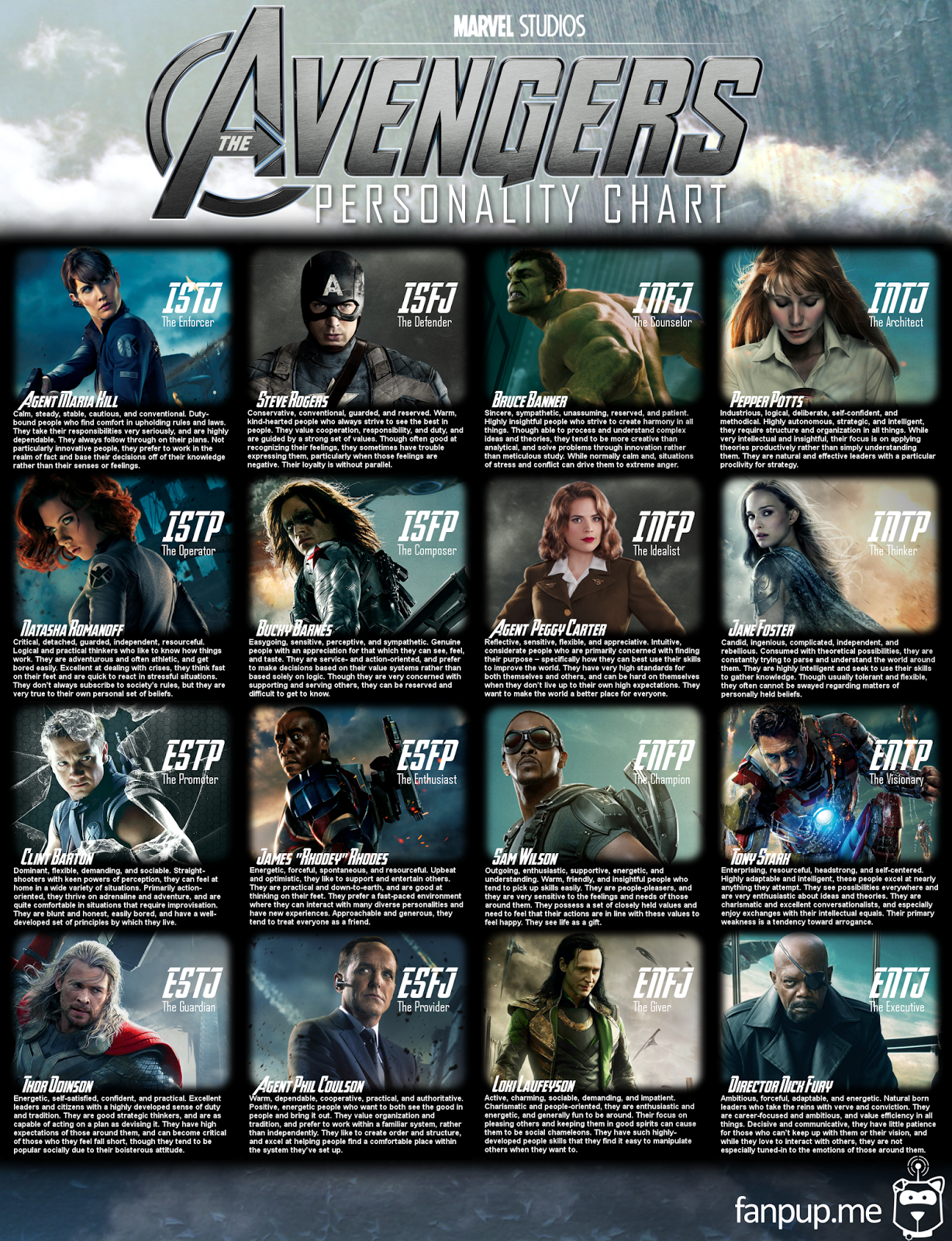
People also make tons of silly interpretations for all of these quizzes (again, obviously not scientific or accurate by any means, but amusing and sometimes fun to discuss), such as the Avengers MBTI or enneagram animals.

Be sure to introduce yourself in #general (see description for all
channels below), show off your new emoji, and share the results of
your personality tests!
Slack Channels
We try to keep the lab Slack organized into various channels for efficiency
so that members can ignore channels that are not relevant. For everyone’s sake,
please try to keep them on topic (you can go crazy in #random and #memes).
Upon joining, you will automatically be added to the following channels:
#general: The channel for new member introductions, lab announcements, and events.#articles: Journal articles, preprints, blog posts, and news articles that are thought provoking.#random: Non-work related chat, suggestions for new channels, animal videos, etc.#memes: Post your most entertaining memes here.-
#friday-feedback: Before the end of day Friday (except for holidays) members are expected to post a summary of their weekly progress, including any problems / issues, and their goals for the coming week. The purpose for these high level summaries is to keep each other updated on progress and help discuss issues that might have arisen during the week. Keep the updates simple and answer the following:- what specific items did you accomplish this week (did you meet your goals that you proposed the previous week)?
- what specific items do you plan to accomplish next week?
- are there any issues / people blocking you from making progress?
-
#help-*: these are a group of channels where you can ask general questions related to biology (#help-biology), statistics (#help-stats), and computer science (#help-coding). For example, if you are hitting a wall debugging your code or wracking your brain if the statistical test you chose is appropriate, ask in the appropriate channel for advice from your fellow labmates. #paper-feedback: As you near completion of your project, you will need to write up and submit a paper. This channel is for posting figures, figure outlines, and draft manuscripts for everyone to read and comment on. Everyone is required to read and provide some feedback on drafts (see lab expectations).#resources: here we discuss datasets / databases / other things we find and process that might be useful for everyone in the lab. If you recently updated or processed a new shared resource, please post about it with a short description in this channel.
This is not an exhaustive list, but some channels you will not be enrolled in by default. These include:
#proj-*: channels that start with this prefix are for discussion of specific projects. Please join or start one for your relevant project if a natural one does not exist. It is also a place where you should post meeting specific notes.
Slack also allows users to create private channels—we ask that you refrain from doing so and instead try to keep useful communication in public forums. This allows us to have a record of ideas and history of our progress to look back on that will save us all time in the long run. Also see this helpful write up for more general Slack etiquette.
Calendar
The lab has two Google Calendars: one for keeping track of events (e.g., lab meeting, practice talks, birthdays, etc) and one for logging away time availability. You will receive access through your Rice Google accounts.
The events calendar is read only, so be sure to email Ruth if there is an event of interest that should be added to the calendar.
Tip
Also send Ruth your birthday so she can add it to events! (You will need to email her your Rice NetID as well, but please send everything in one email, not several individual ones.)
The availability calendar is a centralized place to if lab members are out of the office. Please note if you are away on this calendar when you are traveling or other workday conflicts.
Lab Meeting Schedule
The journal club rotation and the lab meeting presentation rotation are stored in the meetings spreadsheet. Journal club occurs at the start of each lab meeting, and speakers follow a predefined rotation listed in the relevant columns.
Lab Notebooks
Keeping detailed notes for your projects will save you a lot of potential future
pain and agony. We encourage you to jot down important points so that you can
keep track of things you have tried, critical method and parameter decisions
that you will need when writing up a paper, and notes that can help you easily
reproduce your results. The #friday-feedback channel is the place for you
to keep track of your weekly progress, and these lab notebooks are for
your detailed notes (which should make #friday-feedback write-ups
really easy!). To make notebooks easy we have set up a lab notebook system on Github.
These notebooks are viewable only by lab members
in the ylaboratory Github group. To get started go to the
lab-notebook-skeleton repo
and follow the instructions.
These notebooks will serve as a record of your project containing anything collaborators or other people who work on the project after you will need to know. To view current lab notebooks, browse the listing here.
We recognize that everyone has their own favorite way of taking notes. These online lab notebooks provide a quick way to share progress with collaborators or during individual meetings. If you prefer using another method to keep track of project progress, that is also fine, but be prepared to share your notes with others.
Remote Servers
Currently the lab has two remote machines, mochi and risotto. Once you
send Ruth the initial onboarding email, she will help you get access as
needed for your projects. These machines are exclusively for ylab
use and have the following specs:
risotto:
```sh
72 cores / 144 threads
1.5 TBs RAM
20 TBs local storage
800 GBs flash space
```
mochi:
```sh
72 cores / 144 threads
768 GBs RAM
20 TBs local storage
800 GBs flash space
2 Tesla M10s: 8 GPUs
```
We also have a shared storage space between the two machines with approximately
20TBs flash storage mounted as /grain. The flash storage on grain is snapshotted
and will be backed up.
Note
Snapshots are essentially copies of all directories on /grain. These
are made at different time intervals: every hour, once a day, and once a
week. A maximum of six hourly, two daily, and one weekly snapshot copies
are kept. Snapshots can be found at /grain/.snapshot/.
In general, it is important to version control all code (see GitHub) and not overly rely on backups / snapshots (even when they do exist as a safety net). By having version controlled code, even everything in the data center vanishes into thin air, it would simply take time to regenerate the results (on some cloud service).
Local storage (/local on each server, not shared across servers) is not
backed up. This means if you accidentally delete a file or your directory
becomes corrupt on grain it can be recovered from a snapshot (within a week),
but anything that is lost on local storage is permanently gone.
Once you have received SSH access, you will need to get your environment set up. See Getting Started with Remote Servers for more of what we recommend.
The machines are usually undergo maintenance at 8pm every 3rd Friday of the month. Once in a while, as part of maintenance, they may also be rebooted (not necessarily with prior warning), so that is also something to watch out for.
GitHub
As a lab, we strive to do good, reproducible research, and as a computational lab, this means having code that we are proud to release publicly with our papers. While a lot of code may be exploratory and proof of concept, it will save headaches and improve organization if you use a repository with branching for version control, especially if you are writing collaborative code.
If you have never used git or other version control before, we strongly recommend that you first read this short tutorial on the basics of git before proceeding.
For projects in the lab, we have a project template repository to use as a starting point for structuring your code. Feel free to adapt this template and use it as a guide for your own repositories.
Our primary source for version control is GitHub. Once you are set up you will have access to the lab’s organization on Github, ylaboratory. Lab members should maintain project and resource generation code in repos under the ylaboratory organization. Code review is required for committing code to the ylaboratory repositories.
Note
When you create a repository, GitHub makes it easy for you to choose a license. By default, we will be using the simple and permissive BSD 3-Clause license for lab-related software, unless there are specific reasons not to.
To facilitate code reviews, please use the following workflow when you start a new project:
- Create a new private repo under ylaboratory. We encourage you to use the lab project template as a starting point (simply click the "Use this template" button).
- Fork the new repo to your user-specific Github account (also make sure it is private).
- Commit code to your own repository. Be sure to use branches as appropriate to try out different methods / play around with different features—this is especially important when adding resources, as it is likely you might be developing several different resources at the same time. Keep each of them in separate branches to avoid conflicts.
Note
It is important to get in the habit of writing clear, meaningful commit messages. You can read some good suggestions for commit messages here.
Another good resource to read about this general workflow is this little guide.
Some practical pointers: when you clone the forked repository to your
local machine, your fork will be origin. To also track the original,
ylaboratory repository (so it's easier to propagate changes back to
your fork), you can explicitly add the lab repository as upstream
with this command:
git remote add upstream git@github.com:ylaboratory/repo_name.git
To commit changes to the lab's repository and initiate code review:
- Create a pull request into the ylaboratory repo for the appropriate branch in your local fork.
- Assign potential reviewers (see note below).
- After at least 1 senior reviewer has approved the pull request, you can then finish the merge.
Note
To conduct a code review: at least one senior lab members needs to review your pull request. If anyone is an obvious choice, feel free to assign them directly on GitHub. (For the lab documents, Vicky must be one of the reviewers.) Otherwise, simply ask & let people know that you're ready for a code review!
The reviewers should flag any potential problems, leave comments, or ask for clarifications through GitHub (versus on slack or in person, so that there’s a log). See Code Review to get you started on a checklist of things to look out for during review. (Also feel free to check out some existing pull requests such as those for Resources.)
There are often natural "choke points" as you are writing your code (e.g., a data processing pipeline for a particular resource is complete, or a pilot method is up and running, even if there are still details that are not yet resolved). You can submit a pull request with the relevant changesets that includes well-commented code, a README.md, and any information regarding setting up the environment (e.g., necessary packages). As outlined in the Lab Manual, the lab is a team, and we expect everyone to help each other with code review.
We recognize that not everyone that joins the lab will have a strong computer science background, but we still require code to adhere to the following minimum quality requirements:
- Someone unfamiliar with your code should be able to figure out what it does. This means your code should be clean, well commented, and with an intuitive flow.
- Variable names should be informative (e.g., use a name like ‘goterms’ vs ‘aa’ or ‘variable’).
- Refrain from hard-coded values: have them instead as variables that you can set at the top of your code.
- Do not repeat yourself: your code should not do the same thing more than once—if there’s something that is used repeatedly, make it into a function or a class!
- Unit testing: resource building scripts must have tests to check the integrity of the outputs; tests are optional in other project code.
Shared Resource Structure
There are several resources, both code (e.g., scripts/functions to propagate ontologies, map gene names, gene set enrichment) and processed datasets (e.g., gene symbol-id mappings, GO annotations, disease-gene annotations, protein interactions, expression data) that will be useful for several projects. Having a uniform pipeline to process everything and keep it in a common place (with a clear, intuitive structure) saves time and effort from everyone; each lab member is free to keep adding to these resources (if it seems like it will be helpful for your project, it is likely to be for others as well at some point down the line!). Adding a new resource will likely occur at the end of a project, once scripts are clean and finalized.
On our servers, resources can be found at /grain/resources/. We ask that
you follow the current examples and adhere to these basic formatting rules:
- If you are writing a new code resource, add it under
lib. If the code resource is more than two files please add it in a subfolder, named to indicate the function of your code (e.g., gene enrichment scripts) with relevant file names (e.g., GSEA, PAGE, etc). - If you are writing a new data resource, create a subfolder under the
resourcesparent directory with a relevant name (e.g., gene mappings, annotations, etc). - Decouple the data from where the processing scripts are housed.
Practically, this means you should have one folder with source code
(
src) and a separate folder with outputs (output) (organized by version number / date, as appropriate). - In the root of the resource folder created, include a symlink
called
currentthat points the most recent processed output along with aREADMEfile with any instructions needed to rebuild the resource, the date of latest build, and the name of the original author of the script and any other later editors. - When there are large raw data files, try to use local storage for it (e.g., BAM or FASTQ files), and only save data in its processed form to resources (after all processing is done, move raw files to lab archival space on Box).
- For shared code, remember to change the permissions so that lab members can read and run the build scripts.
We keep all resource libary and generation scripts in the ylab resources git repository.
The overall resource structure is as follows:
```txt
|-- resources
|   |-- lib
|   |-- your_resource
|     |-- README.md
|     |-- current ==> version_0.2
|     |-- output
|       |-- version_0.1
|       |-- version_0.2
|     |-- src
|       |-- foo.py
|       |-- bar.py
```
While we adhere to this format for shared resources you are not required to do the same for your own directory. We recommend checking out this post (which was the inspiration!) for how to format your own project directories.
Final Words & Checklist
This document covers a lot of topics, and it is constantly evolving. If you notice something missing, spot an error, or have a helpful addition for new members, please do not hesitate to modify by submitting a pull request.
Finally, here is a recap of all the major tasks that you should do when joining:
- Email Ruth (ruth@rice.edu) your birthday, GitHub username, Rice NetID, and so she can add you to the lab website, a head shot, and your favorite animal pic. The animal pic will be shown on the website when hovering over your image. (This is a mini tradition that started back when the lab website was created; the animal images were used as placeholders but then kind of stuck. Can be your personal pet or any animal picture from the internet that you like!)
- Subscribe to the lab listserv
- Join the lab slack